The trading journal that fills itself from Sierra Chart
Every closed trade lands in your journal with its stop, target and screenshots, including trades placed by your automated strategies. Review them on a dashboard you arrange and see which setups, times and markets work best for you.
- Windows 10 or 11
- One free trial per computer
- Cancel any time
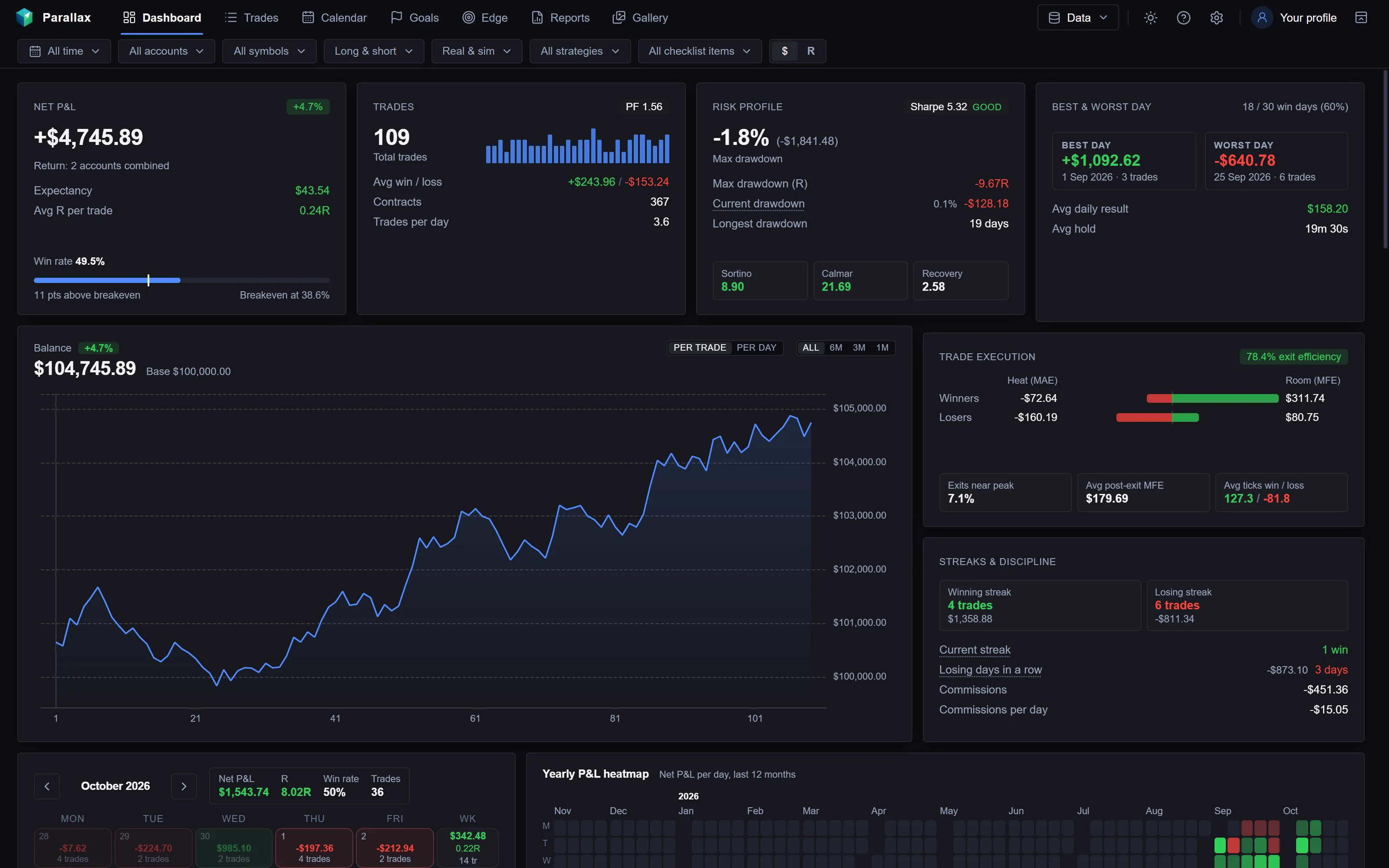
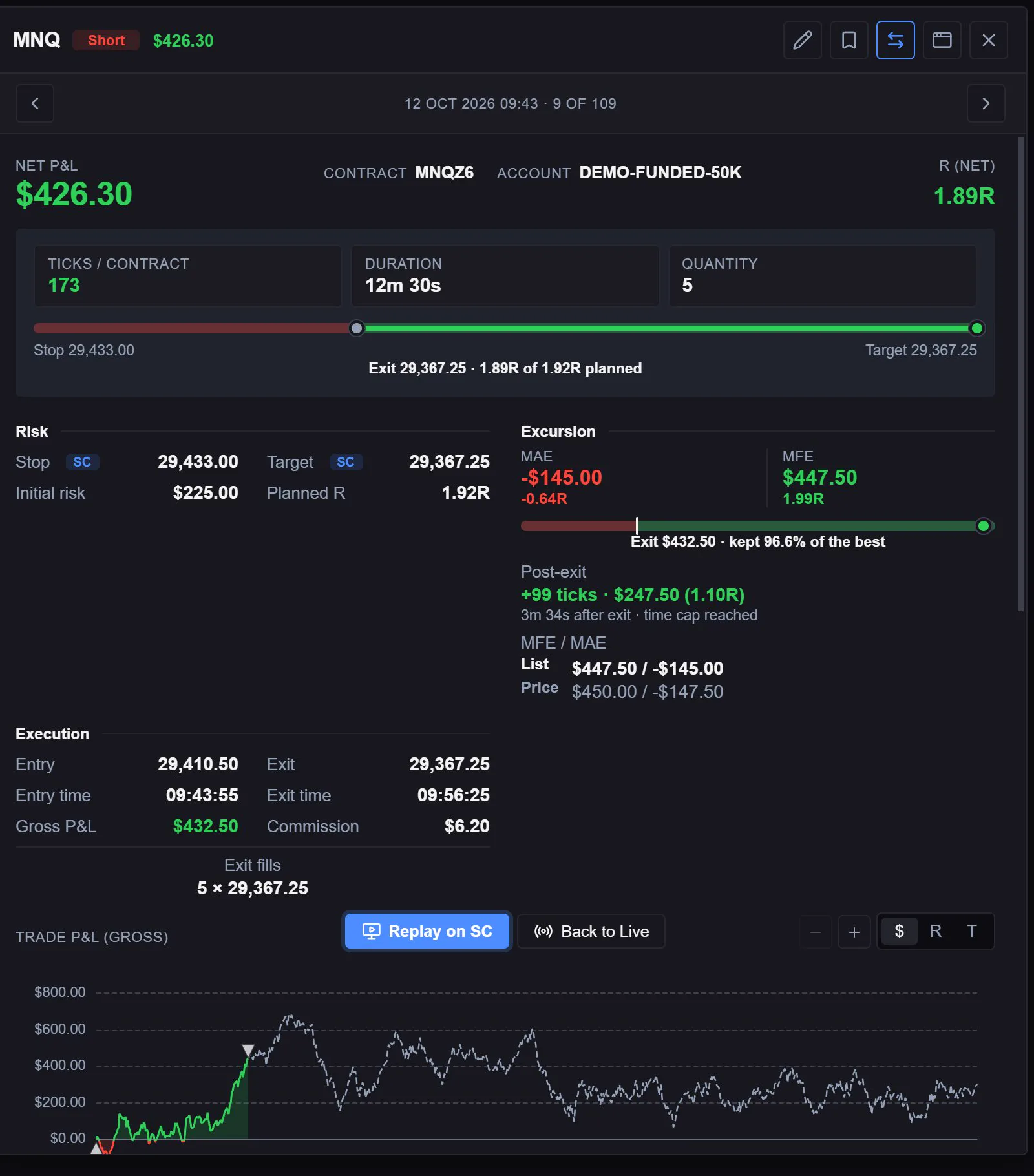
Every page of the real app
Whole pages from the journal with made-up demo trades. Hover a picture to zoom in or expand it.
Net P&L, win rate, profit factor, drawdowns and the balance curve, on a grid you arrange.
Every trade with its stop, target, MAE, MFE, post-exit move and P&L path, beside the trades table.
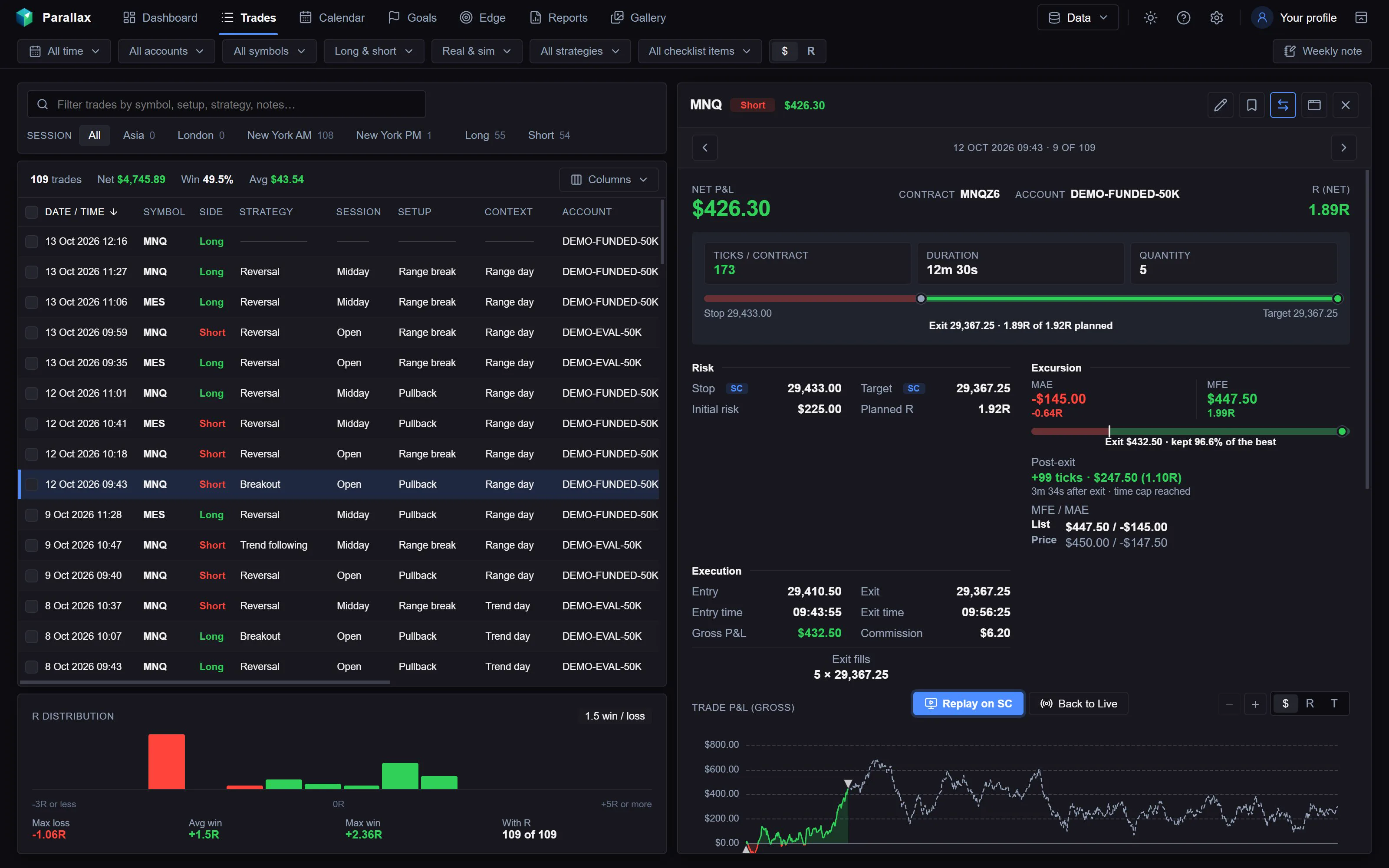
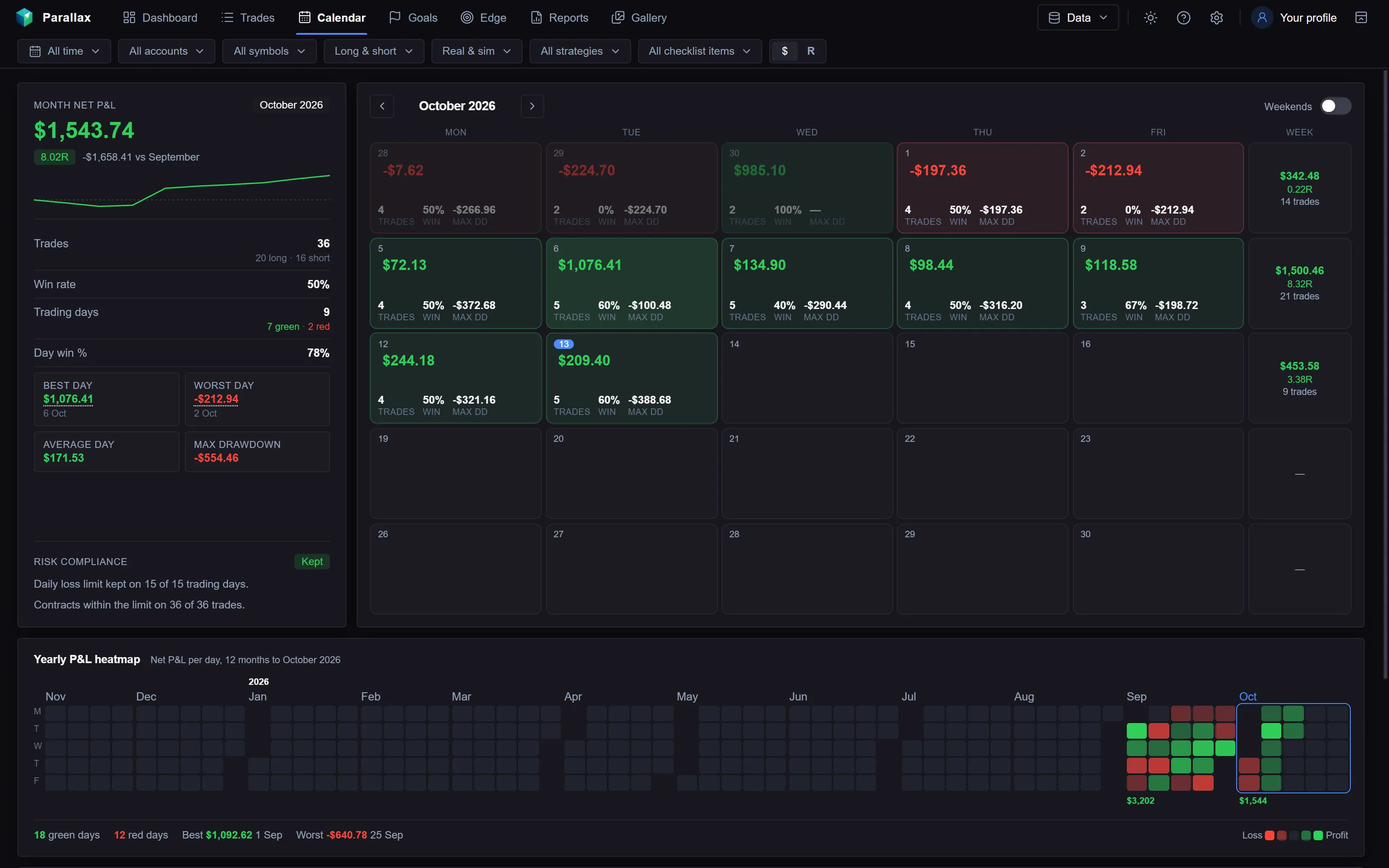
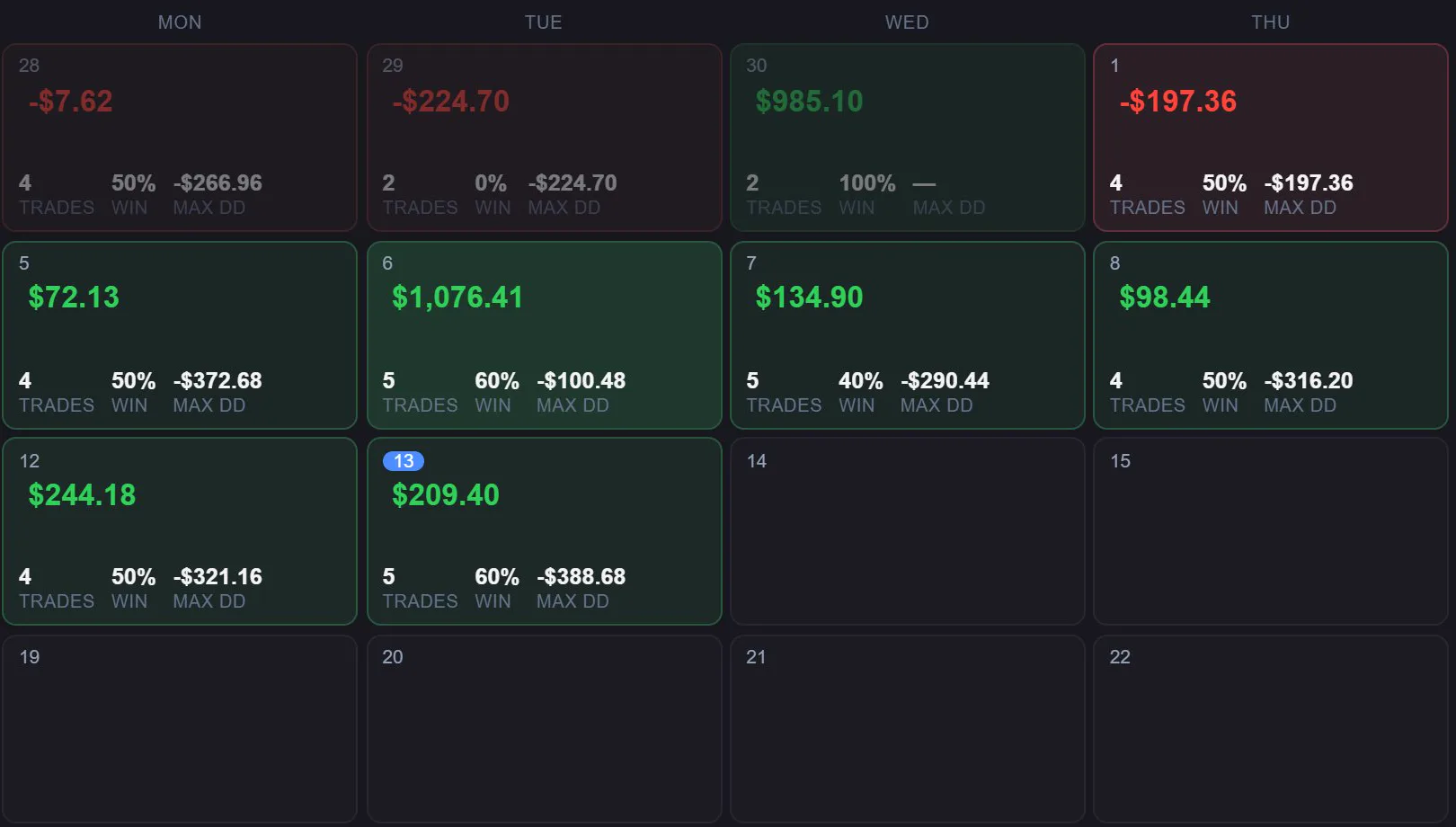
Each day’s result, trades, win rate and drawdown, with weekly totals.
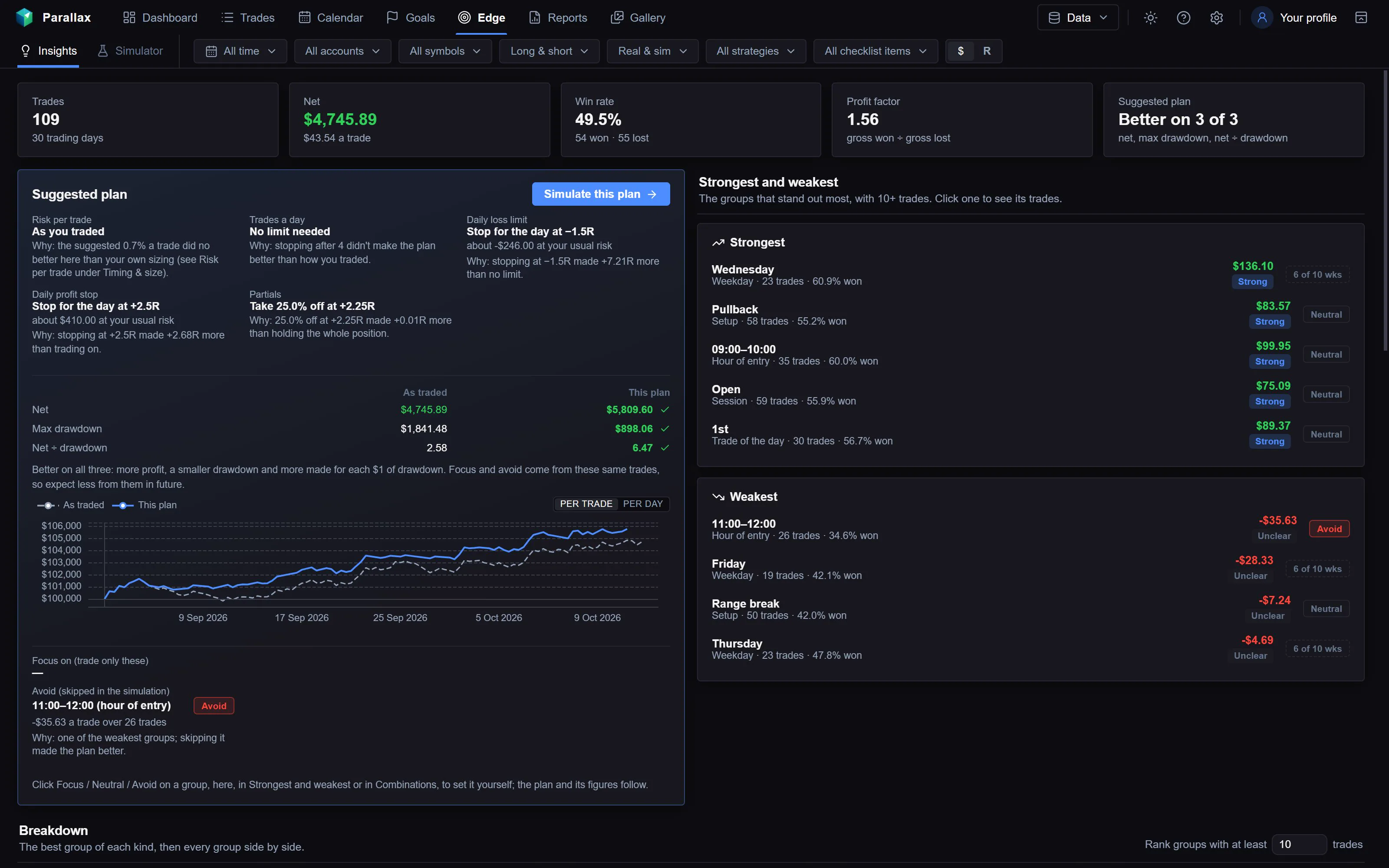
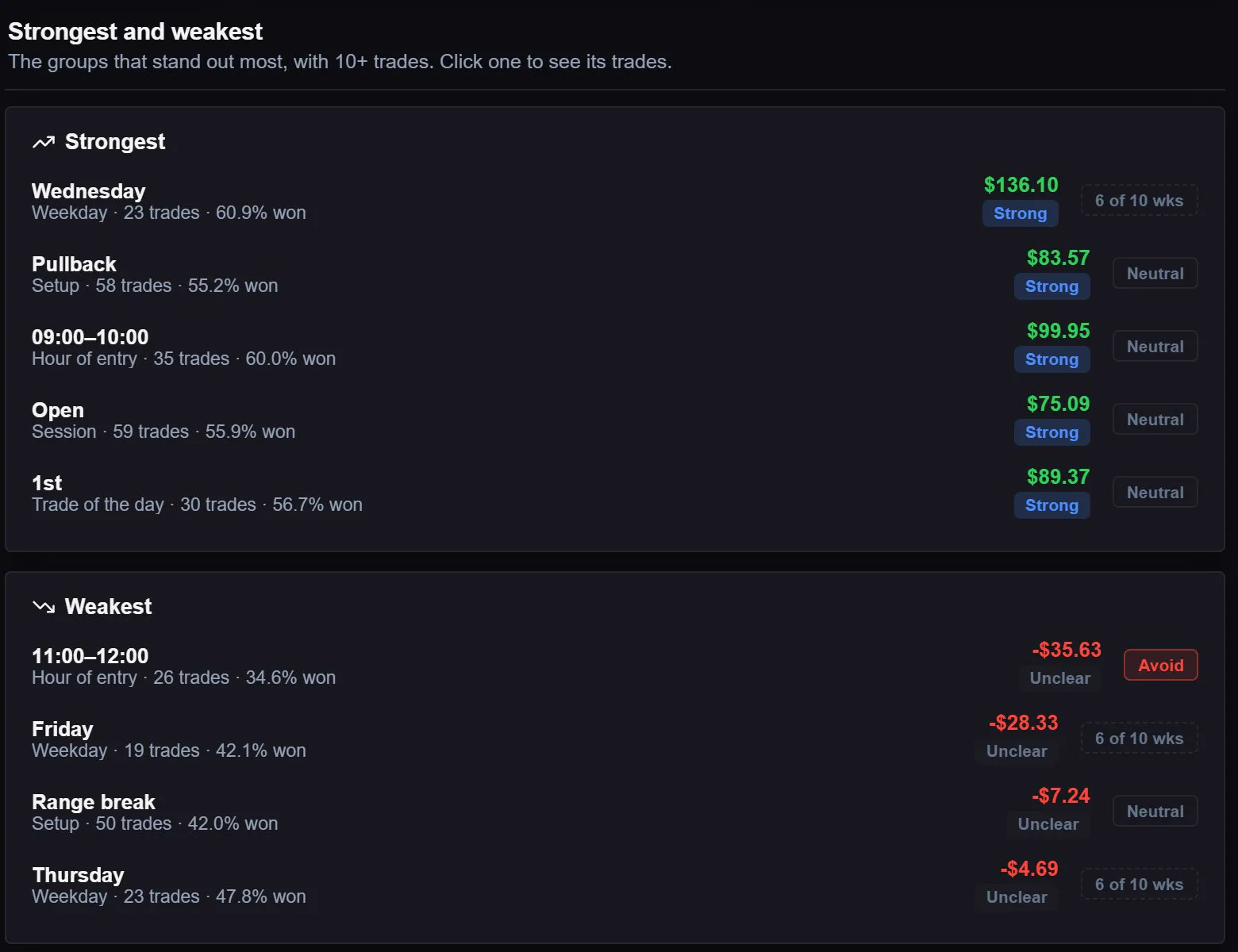
Your strongest and weakest setups, times and sessions, and a plan built from them.
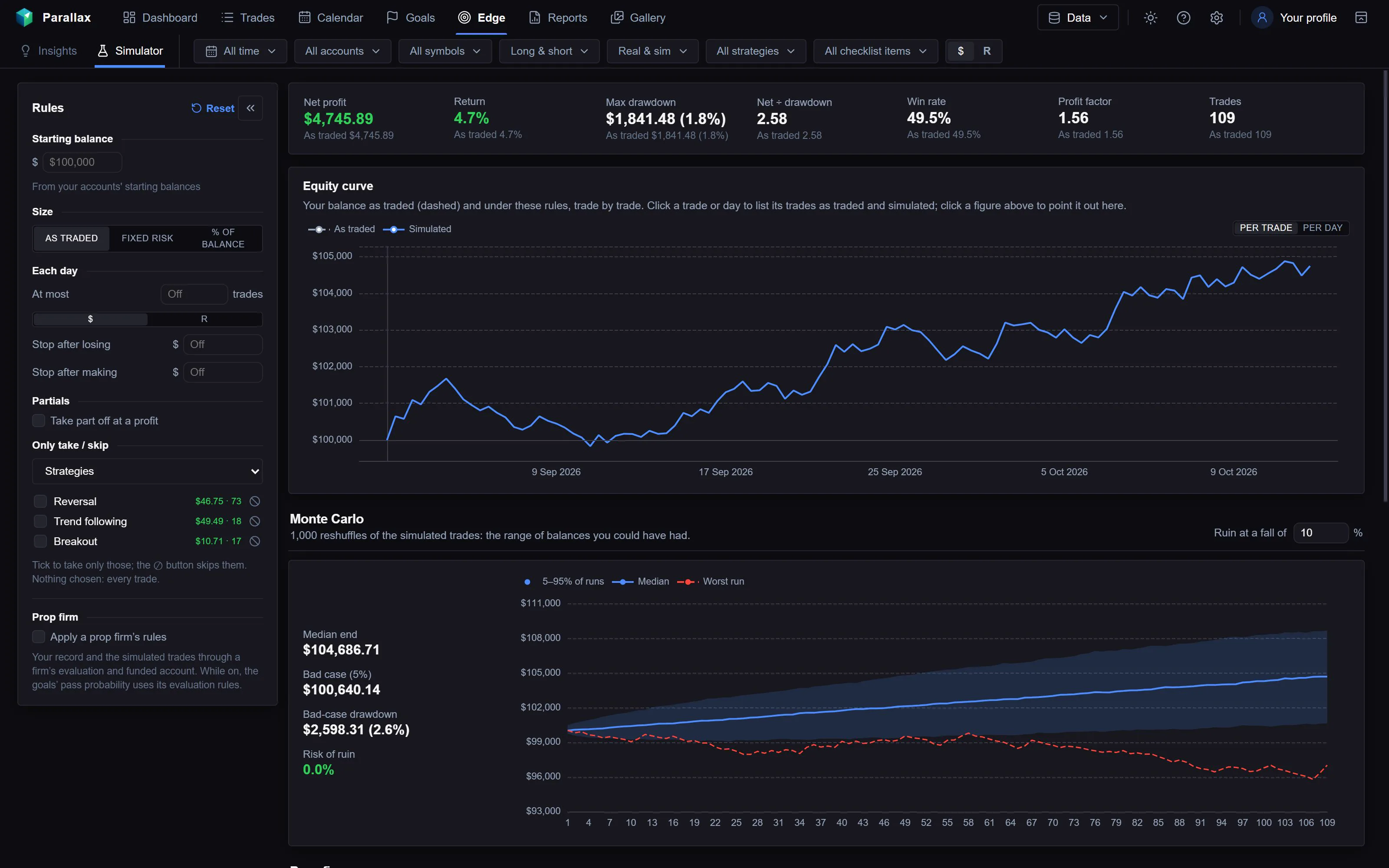
Replay your own trades under new rules and see the difference.
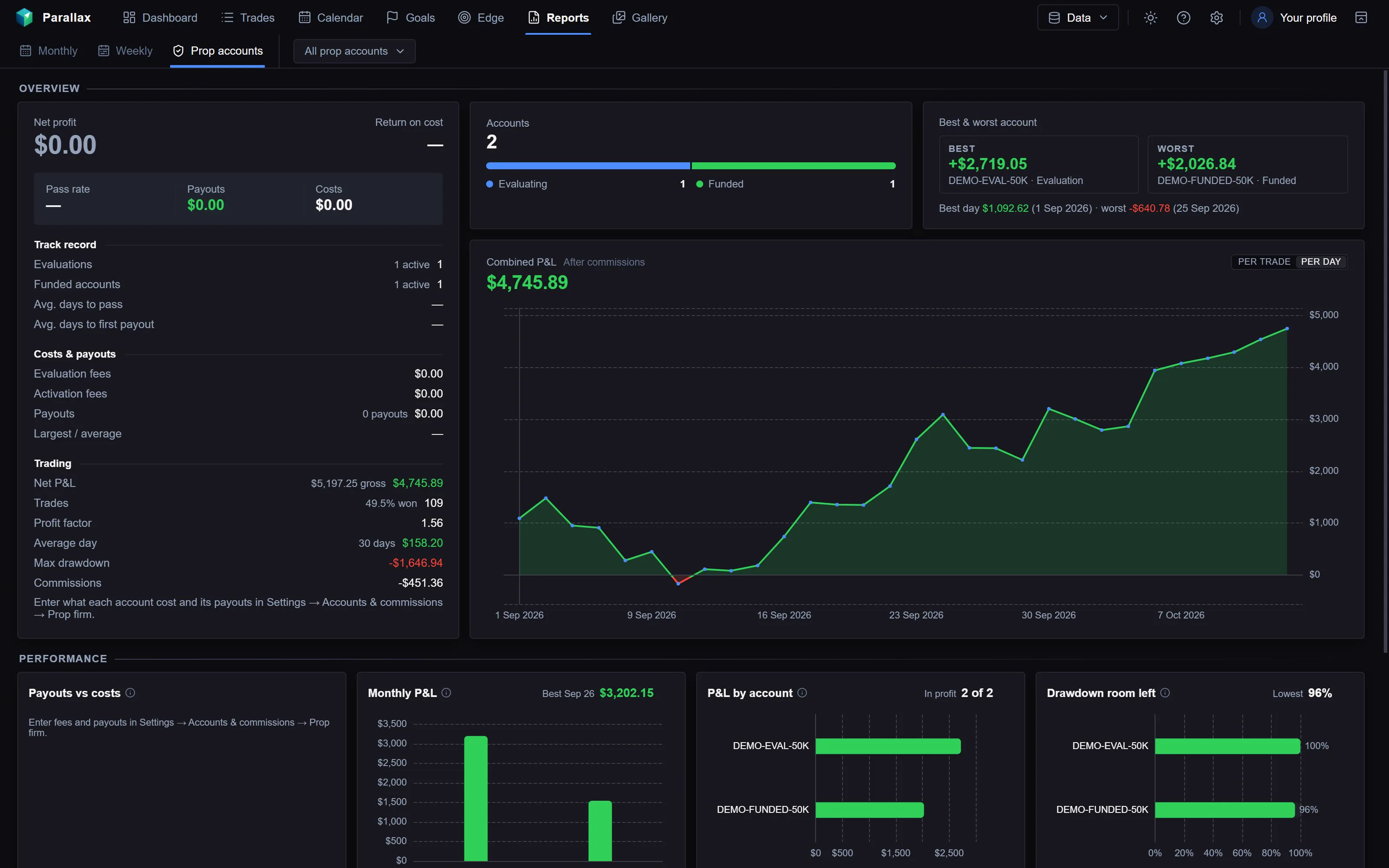
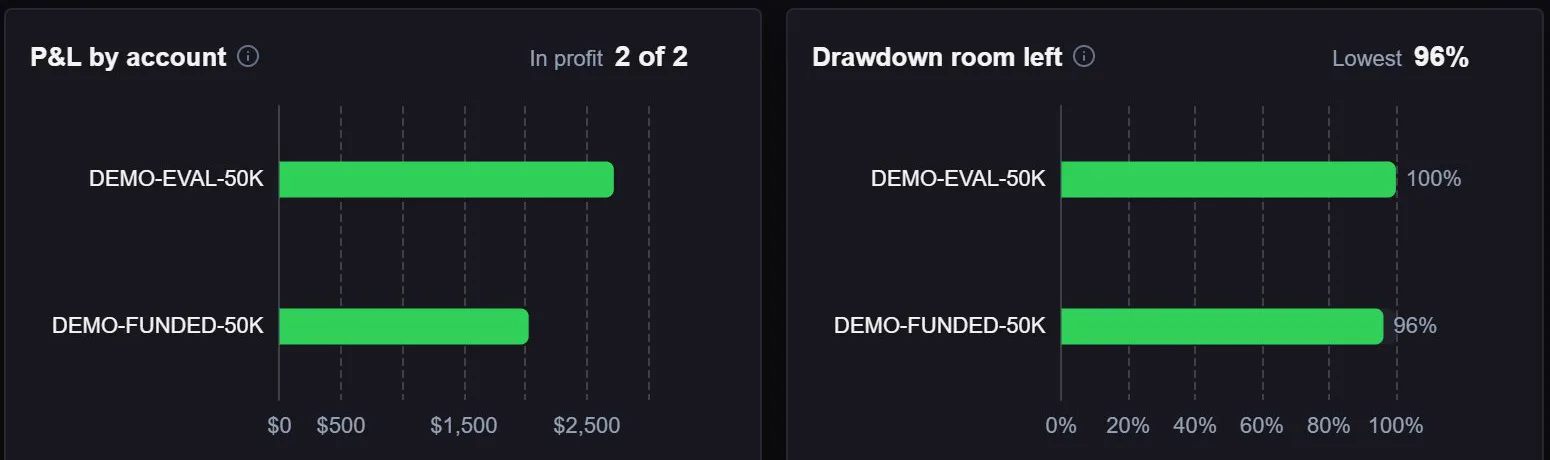
Every evaluation and funded account in one report.
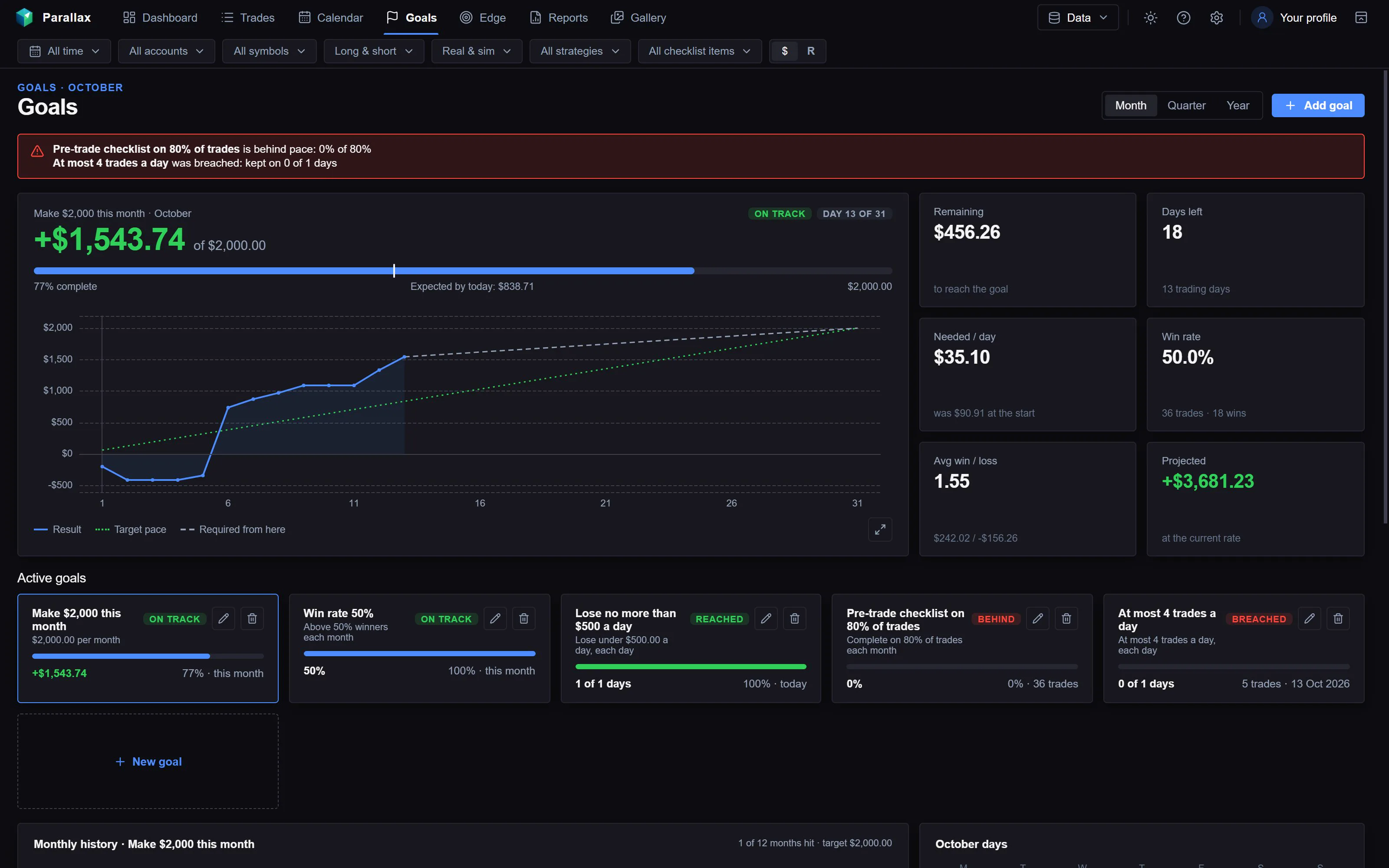
Goals with a pace chart that shows whether you are on track.
One journal for your whole review routine
From the moment a trade closes to the end-of-month report, in one app on your PC.
Dashboard you arrange
More than twenty charts and tables on a grid you drag and resize.
Trade detail
Stop, target, MAE, MFE, post-exit moves and every execution for each trade.
Edge
Your strongest and weakest setups, times and sessions, and a plan built from them.
Calendar and diary
Each day’s result with weekly totals, session notes and a diary you can search.
Simulator
Replay your own trades under new rules, with prop firm pass odds.
Prop firm accounts
Drawdown, daily loss limit and profit target for each evaluation and funded account.
Live import
Each closed trade travels from your chart to your journal on its own.
- 1Sierra Chart
- 2Trade Sync study
- 3Parallax journal
Every trade is journaled as soon as it closes
The Parallax Trade Sync study runs in Sierra Chart and sends each closed trade to the journal in about two seconds.
- Stop, target and chart screenshots come with each trade
- Trades lists import too, from one or several Sierra Chart installs
- MFE, MAE and post-exit moves are worked out from Sierra Chart’s own price data
Journal your automated strategies too
Trades placed by an automated trading system or a custom study are imported like any other trade. Your strategy, study or indicator can fill in the journal for you.
- Set the strategy and tick checklist items from the order note
- Save numbers such as RSI or ATR with each trade, then filter and compare by them
- Missing checklist items are created the first time they appear
Strategy=Breakout; Pre-trade=Plan followed, News checked; RSI: 63.4; ATR: 121.25- Strategy
- Breakout
- Pre-trade checklist
- Plan followedNews checked
- Values
- RSI 63.4ATR 121.25
See your numbers by day, week and month
Net P&L, win rate, profit factor and drawdowns, on a dashboard and a calendar you can filter by account, symbol, side and strategy.
- Session notes, tags and a diary you can search
- Monthly and weekly reports, with PDF export
- Switch every figure between dollars and R
Find the setups worth repeating
The Edge page groups your trades by setup, time of day and session, and shows which groups make money and which cost you.
- A suggested plan compared with how you actually traded
- Strongest and weakest groups side by side
- A simulator that replays your results thousands of times
Know how much room your funded account has left
Add each evaluation and funded account with its firm’s rules. The journal tracks them as you trade.
- Drawdown, daily loss limit, consistency and profit target
- Total and daily room left, and payouts
- Goals with pace charts and warnings
Set up in four steps
Install the journal
Download the installer and run it. Sign in with your account.
Connect Sierra Chart
The setup wizard finds your Sierra Chart Data folder and imports your Trades list.
Add the study
Add the Parallax Trade Sync study to each chart you trade from.
Trade
Each closed trade appears in the journal within seconds, with stop, target and screenshots.
One plan, every feature
Start with a 7-day free trial: every feature except the Suggested plan.
Parallax Trading Journal
- Every journal feature
- Live import from Sierra Chart
- Backups and export to CSV, JSON and PDF
Parallax Trading Journal
- Every journal feature
- Live import from Sierra Chart
- Backups and export to CSV, JSON and PDF
Parallax Trading Journal
- Every journal feature
- Live import from Sierra Chart
- Backups and export to CSV, JSON and PDF
Prices in USD. Taxes are added at checkout where they apply.
What you can count on
Your trades stay on your PC
The journal keeps your trades on your computer, with daily backups. If you stop subscribing, it stays readable and you can export everything.
No trade calls
Parallax records and analyses your own trading. It doesn’t send trade calls or promise results.
Cancel any time
Cancel from the link in your receipt email. You keep access until the end of the period you paid for.
FAQ
What do I need to run the journal?
A Windows PC and Sierra Chart. NinjaTrader and Rithmic support are planned; Trades list files can be imported by hand at any time.
How does the Sierra Chart study get enabled?
The Parallax Trade Sync study comes with the journal. Enter your Sierra Chart username in your account, and the study is enabled for that username. There is no key to type in.
Is there a free trial?
The journal has a 7-day free trial with every feature except the Suggested plan. Each computer gets one trial. After it ends, your journal stays readable and you can still export everything.
Can I cancel?
Yes, any time, from the link in your receipt email. You keep access until the end of the period you paid for.
Where is my data stored?
On your own computer. Nothing about your trades is uploaded. With a paid plan you can use the journal on more than one computer; each keeps its own data. Backups go to a folder you choose.
Do you offer refunds?
No. Payments aren’t refundable, so please use the 7-day free trial to make sure the journal suits you. You can cancel any time to stop future payments. Where the law of your country gives you a right to a refund, that right still applies; see the refund policy.
Start your 7-day free trial
Every feature of the journal except the Suggested plan, for 7 days. If you don’t subscribe afterwards, you can still read and export your journal.